Independent Roblox game guide

Makeup Mania Roblox: Play the Game and Find Your Next Guide

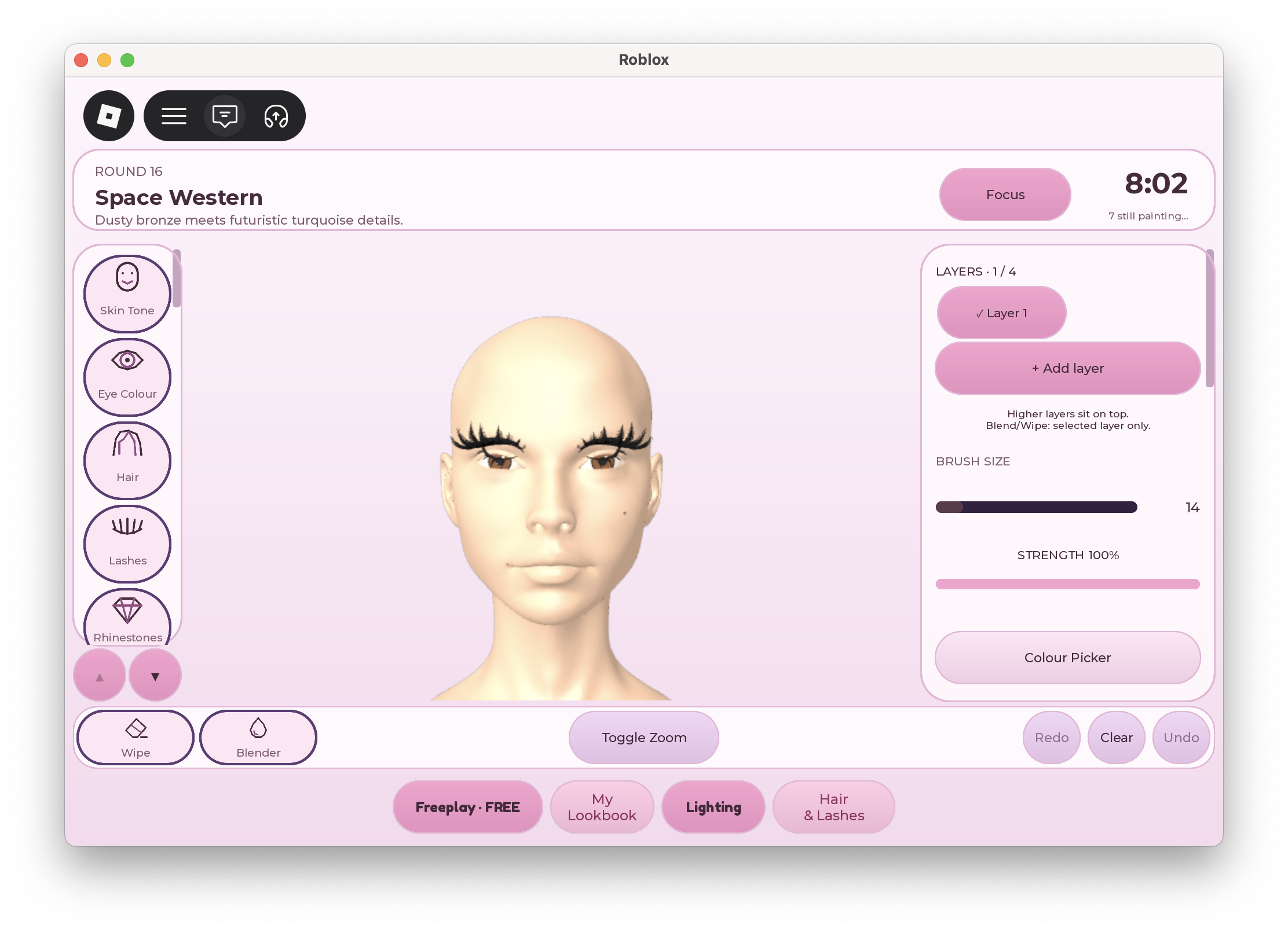
Makeup Mania is a Roblox experience by Make-up Mania! where you create makeup looks, style your character, compete in themed rounds, vote for your favourite looks, and earn rewards. Start with the official game, then use this independent guide to decide what to learn next.

Verified Universe ID: 10768023539·Official Game ID: 117935850321807·Review Date: 2026-10-06
Makeup Mania video walkthroughSTART 10:19
Community walkthrough referenceID: Etjd4gvQgPU

MODULAR ROADMAPS

Choose a Makeup Mania Guide by Your Task

Browse Makeup Mania guides ↗

DIRECT TASK ROUTING

Choose a Makeup Mania Guide by Your Task

What you want to do Start here
Understand the first session Beginner tutorial
Learn the makeup interface Makeup tools guide
Find hair and lash styling help Hair and lashes guide
Choose a learning route All guides

The Makeup Mania beginner tutorial focuses on a manageable first look. Use it when you want an order to follow rather than a list of every possible detail.

The Makeup Mania tools guide focuses on decisions while painting: selecting a product, testing a colour, adjusting a brush, and correcting a result. It is the better route when your main question is about the interface or when a stroke looks different from what you expected.

The Makeup Mania hair and lashes guide focuses on the styling panel and checking accessory fit. Choose it when you are looking for a lash item, comparing hairstyles, or trying to understand the relationship between an item preview and the look you are currently building.

EDITORIAL ANALYSIS

What Is Makeup Mania?

The creative task in Makeup Mania is to build a look for your character and respond to the theme of a round. The developer's description confirms both styling and voting.

Think about your first Makeup Mania session as a chance to learn one action at a time. Rather than trying to recreate a complicated reference immediately, identify the part you want to practise.

Find the Official Makeup Mania Game

Open the Roblox link above and check the creator name, Make-up Mania! The official Makeup Mania experience uses game ID 117935850321807. That identifier helps distinguish the game from unrelated results with similar names. You can also follow the developer's official Roblox community for announcements.

The title recorded for Makeup Mania during this review was “Makeup Mania! BETA [LAYERS].” Update labels can change, so use the creator and game address when checking a result. A label in a title alone is not a complete explanation of how an individual feature works.

If the Makeup Mania page opens but you cannot join, read the message Roblox displays for your account. Keep the exact wording when seeking help. This guide cannot diagnose a specific restriction from a missing search result, and an old video may show a different entry screen from yours.

Plan a Simple Makeup Mania Look

Before adding details in Makeup Mania, decide what you want the viewer to notice first. You might focus on the eyes or choose a lip colour as the main accent. This is a suggested design exercise, not a verified scoring formula, and it does not require a named official theme.

A useful Makeup Mania practice plan is to pick a small group of colours and give each colour a purpose. Choose one main shade, one supporting shade, and an accent if you need it. Compare them on the character instead of assuming a palette that looks good elsewhere will produce an identical result.

For your first Makeup Mania attempt, stop after one part of the face and inspect the whole look. Ask whether that detail fits your intention, whether it is clear enough to see, and whether another detail would improve it.

Keep Makeup Mania Styling Easy to Follow

When practising Makeup Mania, change one setting or item at a time. If you replace the hairstyle, change several colours, and adjust the brush together, it becomes harder to know what improved the result.

Give your Makeup Mania reference a practical purpose. Instead of copying every small detail, identify a colour relationship, an eye shape, or the way hair frames the face. Adapt that one idea using the controls visible in your game. Treat a reference as guidance rather than a promise of an identical outcome.

If your Makeup Mania attempt becomes difficult to follow, return to the last decision you understood. Decide whether to adjust the current detail or simplify the plan.

Approach Makeup Mania Themes and Voting

Read the theme shown in your Makeup Mania round before committing to the look. Write a short interpretation for yourself: the mood, the main colours, and one defining feature.

Makeup Mania includes voting and rewards according to the official description. Those facts do not establish a guaranteed winning style, an automatic pose bonus, or a fixed reward amount. Follow the current in-game instructions for the round and use feedback as one observation about that particular session.

After a Makeup Mania round, choose one part of your own work to improve. Perhaps you want cleaner boundaries or a hairstyle that shows the face more clearly.

Use Makeup Mania References Carefully

The official Makeup Mania page and developer community are the starting points for game announcements. Creator tutorials can help explain the interface, but a recording shows its recorded version. Compare the visible controls before treating a walkthrough as an exact match for your current screen.

For Makeup Mania controls, this site also draws on published community guide coverage. We have not completed an in-game test or independently watched every linked recording. The detailed guides identify that limitation and keep original practice suggestions separate from claims about confirmed game behaviour.

HELP & CLARIFICATIONS

Makeup Mania FAQ

Where can I play Makeup Mania?

Use the official Roblox experience linked at the top of this page. Confirm the creator is Make-up Mania! and the address contains 117935850321807. This site provides reading guides; the playable experience is hosted on Roblox.

Is this an official Makeup Mania wiki?

No. This is an independent fan guide. The developer's Roblox experience and community remain the sources for official announcements.

Which Makeup Mania guide should a beginner read first?

Start with the beginner tutorial. Move to the tools guide when you need a control explained, and use the hair and lashes guide for styling-panel questions.

Does Makeup Mania have themed competition?

Yes. The developer describes themed rounds, voting for favourite looks, and earning rewards. Consult the current game for the prompt and round instructions. This page does not publish an unverified theme roster or an assumed scoring calculation.

Why does my Makeup Mania screen differ from a tutorial?

A tutorial records a particular interface at a particular time. Compare product names and the purpose of controls, not only their old positions. If an instruction does not match, check a newer source before selecting an unfamiliar action.

NEXT SESSION

Start Your Next Makeup Mania Session

Choose one learning target, open the relevant guide, and keep it available while you play. You can begin with the first-session tutorial or jump directly to the action that is slowing you down.

Play on Roblox · Explore all guides

Editorial Sources & Provenance Record